CASINO
Lobby categories
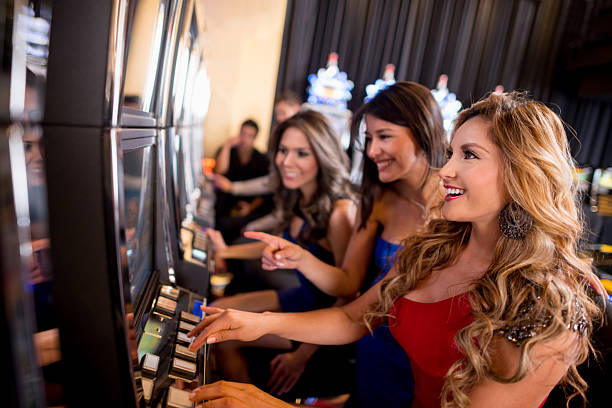
Open this area to separate slots, live dealer tables, quick arenas and fishing rooms. Category tabs help you locate a title without repeatedly returning to the start.
made555 puts Auto Roulette Live, Fan Tan Online Room, slots and football markets within one account, with DANA and QRIS status visible near the lobby.
Access is available only where local law permits.

Casino rooms appear first, followed by live tables, slot categories, fishing rooms and sportsbook access connected to your account.
Our home catalogue groups recognisable work from Pragmatic Play, PG Soft and Habanero, with studio labels shown beside relevant game entries.
DANA, OVO, GoPay and QRIS sit together in the home cashier, reducing wallet guesswork before you transfer.
Each durable area answers a different question from the home screen. The casino lobby shows table and slot categories, the sportsbook separates football, badminton and basketball, and the…
Open this area to separate slots, live dealer tables, quick arenas and fishing rooms. Category tabs help you locate a title without repeatedly returning to the start.

Football sits beside badminton and basketball markets configured for Indonesia. Event pages display available selections and market details before you decide whether to enter a stake.

The cashier shows DANA, OVO, GoPay and QRIS activity together with bank transfer routes. Keep your receipt when a transfer status needs examination by our support channel.

Account settings contain your verified phone details and password controls. Check this area first when your saved information changes or a new browser requires another access check.
Your first visit begins with a short account route rather than several disconnected forms.
A phone browser takes you from account access to the home lobby without requiring a separate application.

Phone verification creates the first checkpoint before account access, while password controls remain available from your settings.
We check the phone number connected to your account before access is completed. This step helps distinguish your account when you return through another supported browser.
Create a private password and avoid reusing it across unrelated services. Account settings provide the appropriate route when your access details require attention.
Keep the receipt generated by DANA, OVO, GoPay, QRIS or your bank. Our support route can compare it with the transaction status shown in the cashier.
We place available rules and title details near each room. This lets you inspect table behaviour, market terms or feature mechanics before entering a game.
Searching across unrelated pages can separate game names, account steps and wallet instructions from their current context.
Game behaviour varies by title, so our home categories avoid presenting one return figure as though it applies everywhere.
Check the individual game panel for available return data, paylines, feature rules and stake controls because configurations can differ between titles.
Live baccarat, roulette, blackjack and Dragon Tiger follow the rules displayed for each table, with outcomes delivered through the live stream.
Aviator Quick Arena displays its own round controls and result sequence. Read the room rules before choosing when to enter or leave.
Fishing War Quick Arena uses title-specific controls and scoring behaviour, which appear in its room material rather than a shared category figure.
Football, badminton and basketball pages show odds and market terms instead of casino return data. Recheck a selection before confirming it.
Our home is configured for Indonesia with DANA, OVO, GoPay, QRIS and supported bank routes shown in the cashier. Mobile and computer browsers use the same account path, subject to regional connectivity and verification. Access depends on local law, and availability can differ by location or service provider. Check the account and policy links displayed on this page before entering personal details or attempting a transaction.
Six elements make the home page practical before you enter a game. The account route begins with phone verification, casino categories keep live tables apart from…
The account panel presents requested details in sequence and explains phone verification before access. You can see the path without moving through several unrelated landing pages.
Slots, live tables, quick arenas and fishing rooms use distinct categories. This keeps Auto Roulette Live from being mixed into a shelf with unrelated formats.
Football, badminton and basketball markets remain one navigation step from casino pages. You can switch categories while keeping the same verified account active.
DANA, OVO, GoPay and QRIS appear with their relevant cashier status. The nearby support path helps when provider confirmation and account status do not match.
Live chat, email and mobile help are linked from the home support area. Channel availability appears there, helping you choose a suitable contact route.
Privacy wording, account rules and applicable terms remain within the home structure. Read them before opening an account, sending identification or requesting a withdrawal.
These answers cover the practical questions you may have before using the made555 Home. They explain account access, game categories, local wallet routes, mobile behaviour, withdrawal checks and support. For a detail tied to your account, use the contact paths displayed on the current home screen. Availability and eligibility depend on local law, so read the linked account rules and applicable terms before proceeding.
Begin at the account panel if you are new, or open the lobby categories when your access is ready. The game shelves lead to casino, slots and sportsbook areas without changing accounts.
Read the requested fields and prepare your phone for verification. Matching information helps us handle later account and withdrawal checks without unnecessary corrections.
Choose casino, slots or sportsbook from the home categories. Each route narrows the available titles or markets while retaining the same account navigation.
Select DANA, OVO, GoPay, QRIS, virtual account or bank transfer only after checking the displayed instructions and confirming that your account details are correct.
Return to live chat, email or mobile help when access or transaction status stalls. Keep the relevant time, rail and receipt available for examination.